Table of Contents
It’s the last week of the month, and payroll is around the corner.
HR is checking one attendance sheet against another. Someone forgot to punch out on Tuesday. Two sales employees sent their attendance details on WhatsApp. A manager approved a late arrival verbally but never informed HR. The biometric report shows an employee absent even though they were visiting a customer that day.
Now someone has to make sense of all of it before salaries are processed.
For many businesses, this is the real attendance problem.
Recording who came to work is not particularly difficult. The difficulty begins when attendance has to be verified, corrected, approved and converted into something payroll can actually use.
A good Employee Attendance App is built to solve this entire process, not just replace a paper register with a digital check-in button.
In this guide, we’ll look at how attendance apps work, which features matter for Indian businesses with 10 to 500 employees, and what you should check before choosing one.
What Is an Employee Attendance App, Really?
At the most basic level, an attendance app records when an employee starts and ends work.
But if that is all the software does, you are still left with most of the work.
Suppose an employee checks in at 9:42 AM.
That timestamp alone does not tell HR much.
Was the employee late?
Was there a 15-minute grace period?
Was the employee working a different shift?
Had the manager already approved a late start?
Was it a flexible shift?
A proper attendance management system takes the raw attendance entry and interprets it according to your company rules.
That is the real difference between simply recording attendance and actually managing it.
How Does an Employee Attendance App Work?
Most modern attendance systems follow the same broad process.
The employee marks attendance. The system checks the relevant attendance rules. Any exception goes through an approval process. Once everything is finalised, HR gets usable attendance data for payroll and reporting.
Let’s look at each part.
1. The Employee Marks Attendance
Different employees may need different ways to mark attendance.
Your accountant may work from the office every day. Your sales executive may spend most of the day visiting customers. Your warehouse team may work fixed shifts. A manager may move between two branches.
Making all of them use the same attendance method rarely makes sense.
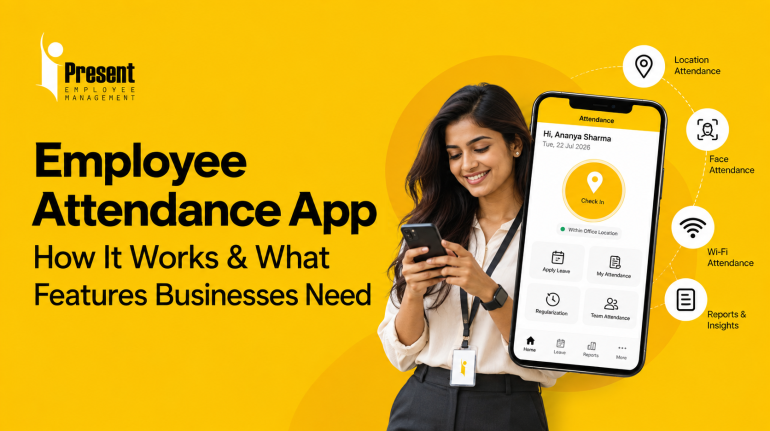
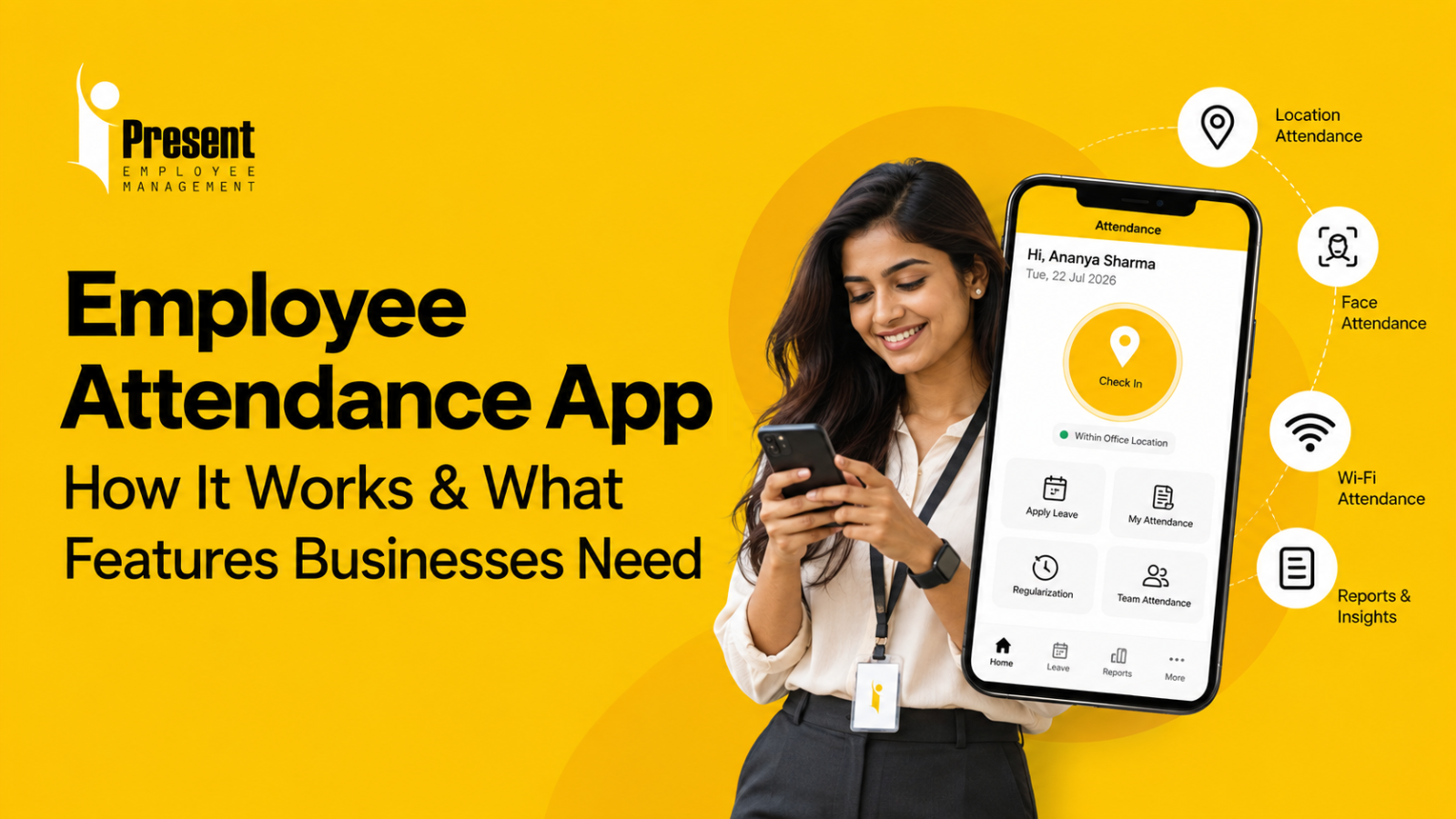
Depending on the business, a mobile attendance app may support options such as:
- Office Wi-Fi or IP-based attendance
- Location-based attendance for field employees
- Face attendance
- Multiple check-ins and check-outs
- Mobile attendance for employees working away from the office
The goal is simple: use an attendance method that matches the way the employee actually works.
2. The System Applies Your Attendance Rules
This is where an attendance app becomes more useful than a simple digital register.
You configure your policies once.
For example:
- Office timing
- Grace period
- Weekly off
- Shift timing
- Late arrival rules
- Early departure rules
- Overtime rules
- Holidays
- Leave status
Now when someone checks in, the software can interpret the attendance instead of leaving HR to calculate everything manually.
A 9:45 AM punch could mean “Present” for one employee and “Late” for another, depending on the shift assigned to them.
The system needs to understand that difference.
3. It Handles the Exceptions
This is the part businesses often underestimate.
Normal attendance is easy.
Exceptions are what consume HR’s time.
An employee forgets to punch out.
Someone’s phone has a network issue.
A field employee marks attendance from a customer location.
A manager allows an employee to arrive late.
An employee is shown absent even though leave was already approved.
In a manual system, these situations usually turn into calls, emails, WhatsApp messages and spreadsheet corrections.
A good attendance system gives employees a proper regularisation process.
The employee raises a request, the manager reviews it, and HR can see the final approved record.
No need to search through old messages at payroll time.
Why Excel and Biometric Attendance Start Becoming Difficult
There is nothing inherently wrong with a register, Excel sheet or biometric machine.
They can work perfectly well in the right environment.
The problem starts when the workforce becomes more complicated.
Imagine a distributor with 80 employees.
The accounts team works from the head office.
The sales team spends the day visiting retailers.
Warehouse staff follow shifts.
Managers travel between locations.
Now think about attendance.
A biometric machine can work well for employees entering the warehouse every day.
But what does the salesperson do?
Come to the office every morning only to mark attendance before visiting customers?
Send attendance on WhatsApp?
Share live location?
Ask the manager to confirm attendance later?
This is where businesses begin creating multiple attendance processes for different teams.
And once that happens, HR has to bring everything back together at the end of the month.
The real problem is usually not attendance capture. It is attendance reconciliation.
Employee Attendance App vs Biometric vs Excel
Each approach works differently.
|
Requirement |
Excel / Register |
Biometric Machine |
Employee Attendance App |
|
Basic attendance recording |
Yes |
Yes |
Yes |
|
Field employee attendance |
Manual |
Difficult |
Supported through mobile/location methods |
|
Multiple attendance methods |
Difficult |
Hardware-dependent |
Yes |
|
Shift processing |
Manual |
Depends on software |
Automated based on configured rules |
|
Missed punch correction |
Manual |
Often manual |
Regularisation workflow |
|
Leave integration |
Manual |
Usually separate |
Can be integrated |
|
Centralised reporting |
Manual |
Depends on system |
Yes |
|
Dedicated attendance hardware |
No |
Required |
Often not required |
A biometric machine still makes sense in many factories, offices and controlled workplaces.
But once employees start working across branches, customer sites or the field, businesses usually need more flexibility than a single physical machine can provide.
Check out Attendance Software ROI Calculator to find out how much you can save by switching from manual methods like Biometric devices and Excel/Register to an Attendance Software.
Features That Actually Matter in an Employee Attendance App
Software vendors can show you long feature lists.
That does not mean you need all of them.
The better question is:
Which features remove work from HR and managers?
Multiple Attendance Modes
This should be one of the first things you check.
Your field sales team may need location-based attendance.
Your office team may need attendance through the office network.
Some employees may need face attendance.
Others may require multiple check-ins during the day.
A useful system should let you choose the right method for different employees rather than forcing everyone into one process.
Shift Management
If your business operates shifts, test this properly during the demo.
Can the software handle your actual shift rules?
Look for support around:
- Fixed shifts
- Flexible shifts
- Rotational rosters
- Grace periods
- Late arrival
- Early departure
- Weekly offs
- Holidays
- Overtime
- Breaks such as lunch or tea, where applicable
If HR still has to calculate these manually after downloading attendance, you have only digitised half the process.
Attendance Regularisation
Ask the vendor to show you what happens when someone forgets to punch.
Not a successful check-in.
A failed one.
How does the employee request a correction?
Who approves it?
Can the manager see the reason?
Does HR have a record of what changed?
You will probably use this workflow far more often than some of the impressive features shown during the sales demo.
Leave and Attendance Together
Attendance and leave should speak to each other.
If an employee is on approved leave, HR should not have to open another sheet to understand why attendance shows “Absent.”
The system should already know.
It sounds like a small thing, but these are exactly the small corrections that pile up during payroll processing.
Reports That Help You Spot Problems
A useful attendance report should help HR answer questions quickly.
Who is absent today?
Who has not marked attendance?
Which employees were repeatedly late?
What is the attendance status of one department?
How much overtime was recorded?
What is an employee’s current leave balance?
Useful reporting may include:
- Attendance Register
- Late Coming and Early Leaving Reports
- Muster Roll
- Overtime Reports
- Leave Balance Reports
- Employee-wise Attendance Summary
- Department-wise Attendance
- Unmarked Attendance
Good reporting saves HR from opening five screens just to answer one question.
What About GPS Attendance?
A GPS attendance app can be useful when employees do not work from one fixed location.
Take a field salesperson visiting retailers.
Their workday may begin at the first customer location instead of the office.
In that situation, asking them to visit the office merely to punch attendance adds no real value.
Location-based attendance gives the company a way to verify that attendance was marked from an appropriate work location.
Some systems go further by supporting live location visibility and route tracking for field employees during working hours. This can be useful for organisations that need visibility into on-field movement, particularly for sales or service teams.
Geo-fencing can add another layer of control by allowing attendance only when an employee is within a predefined radius of an office, branch, customer location or other authorised worksite.
But businesses should use location features sensibly.
Define when location information is required, who can access it and why the business needs it. The purpose should be operational visibility and attendance verification, not unnecessary monitoring.
Where Attendance Usually Breaks: Just Before Payroll
This is where many businesses realise that their “digital attendance system” has not actually removed much work.
Attendance has been captured.
But HR still has to:
- Correct missed punches
- Verify approved leave
- Check late marks
- Review overtime
- Calculate payable days
- Prepare salary inputs
- Share the final numbers with accounts
Now the team exports the attendance file and starts another round of Excel work.
This is the exact point where attendance software should reduce the handoff.
This is how iPresent Attendance Software addresses that gap.
It brings multiple parts of attendance management into one workflow instead of treating attendance as nothing more than a punch record.
For field teams, GPS-based attendance allows employees to mark attendance while working away from the office, while live tracking and route visibility can help businesses monitor approved on-field movement.
For location-specific roles, geo-fencing can restrict attendance to a defined radius. Office employees can use Wi-Fi-based attendance, allowing attendance only through approved office networks.
The system also supports fixed and flexible shifts, rotating rosters and multiple check-ins and check-outs, which becomes useful for employees working split shifts, moving between sites or stepping out for field assignments.
Attendance rules can be configured around late coming, early leaving, overtime and comp-offs, so HR does not have to interpret every attendance entry manually.
Employees also get access to Employee Self-Service, where they can view their attendance history, check attendance summaries and raise correction requests directly from the mobile app instead of sending messages to HR.
For HR and managers, reporting covers areas such as attendance registers, late coming, early leaving, muster rolls, overtime and leave balances.
And when attendance reaches the end of the process, iPresent also brings built-in payroll into the same workflow. For businesses using Tally, Tally integration can further reduce manual movement of payroll-related information between HR and accounts.
All of this can operate without requiring dedicated attendance hardware, which is particularly useful when one workforce includes office employees, field staff and employees working across multiple locations.
The practical benefit is not that employees can punch from a phone.
It is that fewer manual steps remain between attendance capture, attendance correction, policy enforcement, reporting, payroll and accounting.
Common Mistakes Businesses Make While Choosing Attendance Software
Choosing Based Only on the Punching Feature
Face attendance may look impressive in a demo.
GPS may look useful.
But ask what happens after attendance is captured.
If corrections, approvals and payroll still happen manually, HR will continue doing most of the same work.
Giving Every Employee the Same Attendance Method
Office staff and field staff work differently.
Your attendance policy should reflect that.
Ignoring Exceptions During the Demo
Ask the vendor to show you:
- A missed punch
- A late employee
- Approved leave
- A regularisation request
- A shift change
That tells you much more than watching someone successfully check in.
Thinking About Payroll Too Late
Before selecting the software, ask:
“What happens after attendance is approved?”
If the answer involves multiple exports, manual formatting and re-entry, understand that those steps will become part of your monthly workload.
Buying More Features Than You Need
More features do not automatically mean a better system.
For a 30-person office, complicated workforce scheduling may add little value.
For a 300-person organisation with multiple shifts and field employees, it may be essential.
Buy for your workflow, not for the brochure.
A Simple 5-Step Checklist Before You Choose
Before evaluating any Employee Attendance App, do this first:
- List your employee groups. Separate office staff, field teams, branches, shifts and remote employees.
- Write down your attendance rules. Include shift timings, grace periods, weekly offs, leave, overtime and comp-off policies.
- Decide how each group should mark attendance. Wi-Fi, GPS, geo-fencing, face attendance or another method.
- Test the difficult cases during the demo. Ask the vendor to show missed punches, corrections, leave, multiple check-ins and manager approvals.
- Follow the data until payroll. Understand exactly how approved attendance reaches salary processing and accounts.
If a system makes the entire journey simpler, it is solving the right problem.
Final Thought
An Employee Attendance App should not simply give HR a nicer way to see punches.
It should remove the messy work that starts after the punch.
The WhatsApp messages.
The missed entries.
The Excel corrections.
The leave cross-checking.
The payroll reconciliation.
Start by looking at your current attendance process from beginning to end.
Find the points where someone still has to manually verify, correct or re-enter information.
Those are the problems your attendance system should solve.
And when you evaluate a product, do not ask only, “How does an employee mark attendance?”
Ask the more important question:
“What happens after they do?”
Sounds Interesting? Sign up for a 9-Day Free Trial
FAQs - Employee Attendance App
Can an attendance app replace a biometric machine?
It can for many businesses, especially when employees work across offices, customer locations or in the field.
iPresent does not require dedicated attendance hardware. Employees can mark attendance using supported methods such as GPS-based attendance, geo-fencing, office Wi-Fi or face attendance, depending on how the business wants to configure the process.
That said, some organisations may still prefer dedicated biometric hardware for specific access-control or operational requirements.
Do all employees need GPS attendance?
No. GPS attendance is mainly useful for employees whose work happens outside a fixed office, such as field sales teams, service staff or employees working from approved remote locations.
With iPresent employee attendance app, businesses can use different attendance methods for different employee groups. Field teams can use GPS-based attendance, while office employees can use Wi-Fi-based or other configured attendance modes.
This avoids forcing the same attendance method on everyone.
What is geo-fencing in attendance?
Geo-fencing allows a business to define an approved geographic radius around an office, branch, customer site or other work location.
Employees can then be allowed to mark attendance only when they are within that predefined area.
iPresent Employee Attendance App supports geo-fencing attendance, which can be useful when a business wants more control over where location-based attendance can be marked.
What if an employee forgets to mark attendance?
This is where a proper regularisation workflow becomes important.
Instead of asking HR to manually correct the record, the employee should be able to raise a request explaining the missed punch.
With iPresent’s Employee Self-Service, employees can view their attendance history and raise attendance correction requests through the mobile app. The request can then move through the appropriate approval process before the attendance record is finalised.
Will attendance software automatically calculate payroll?
That depends on the product.
Some attendance systems stop at attendance reports and require HR to export the data into another payroll system.
iPresent Attendance Software includes built-in payroll, so approved attendance can continue into salary processing within the same broader workflow. For businesses using Tally, its Tally integration can also help reduce manual movement of payroll-related information between HR and accounts.
Before choosing any system, check exactly what happens after attendance is approved
What should I check during an attendance software demo?
Do not test only a successful punch.
Ask the vendor to show you situations that HR actually deals with:
- A missed punch and regularisation request
- A late arrival
- GPS or geo-fenced attendance
- An office employee using Wi-Fi attendance
- Multiple check-ins and check-outs
- A shift or roster change
- Overtime or comp-off handling
- Leave and attendance records
- Attendance reports
- The handoff from attendance to payroll
If you are evaluating iPresent Employee Attendance app, these scenarios are also a better way to understand how its attendance modes, Employee Self-Service, policy configuration, reporting and payroll workflow fit together in actual day-to-day use.